Mac OS Menu Bar App
Stop Biting
Your Nails
Your Mac's webcam watches for nail biting and alerts you the moment it happens. AI-powered habit breaking that actually works.
Get Nail SnitchOne-time purchase. No subscription. 100% offline.


Your Mac's webcam watches for nail biting and alerts you the moment it happens. AI-powered habit breaking that actually works.
Get Nail Snitch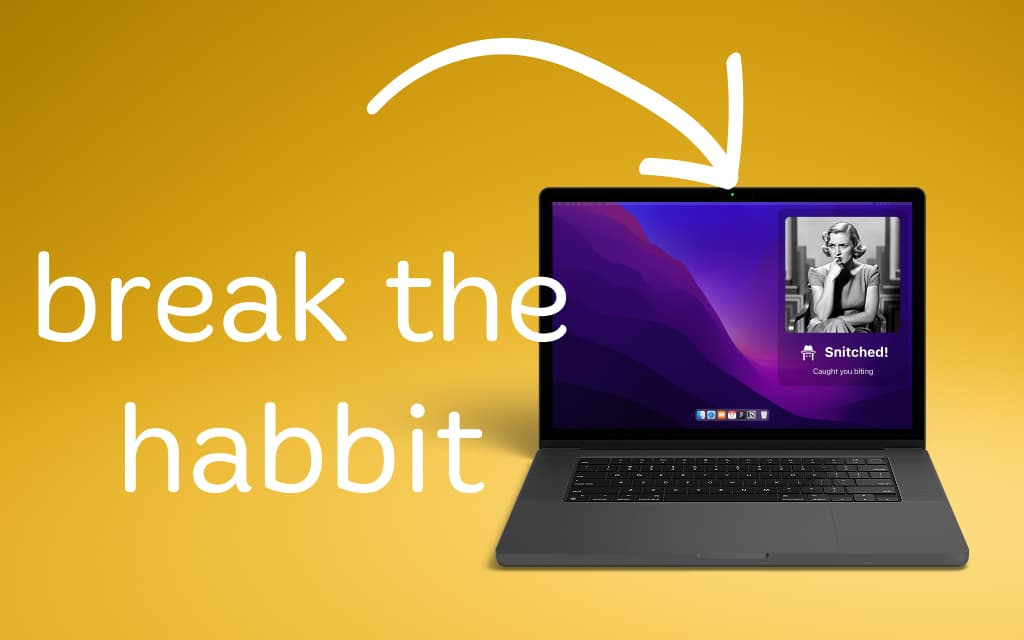
Nail Snitch lives in your menu bar — always watching, never in the way.
Download from the Mac App Store, grant camera access, and you're done. Runs silently in your menu bar from boot.
Apple Vision detects your hand moving to your mouth, checks for the curled-finger biting posture, and filters out eating and chin resting.
An audio alert fires and Nail Snitch snaps the exact frame you got caught in — on your screen for five seconds, then gone. You become aware, you stop.
Caught biting? Nail Snitch snaps the exact moment and flashes it back at you. Five seconds of shame, then gone. Nothing saved, nothing shared.
Current streak since your last bite, plus the all-time record you're trying to beat. Watch the timer grow — or reset, loudly.
A 0–100 score every day, normalized against how long the camera was watching. Excellent, Good, Needs Work, or Rough Day.
Finger curl analysis, depth filtering, and hysteresis keep false positives low. It knows the difference between biting, eating, and a chin rest.
Eating lunch? One click to mute for 15 minutes, 1 hour, or until tomorrow. No false alarms.
Pick from six alert sounds — Funk, Pop, Tink, Sosumi, Ping, Glass. Preview each, tune the volume, and set the cooldown (1–60 seconds).
Open the Preview tab to see exactly what the AI sees — face box, fingertips, distance-to-mouth, real-time FPS. Tune with your own eyes.
Built-in FaceTime, Continuity Camera from your iPhone, or any external webcam. Pick whichever has the best view of your hands.
Launches at login automatically. Pauses when your display sleeps. Runs silently from the menu bar, all day.
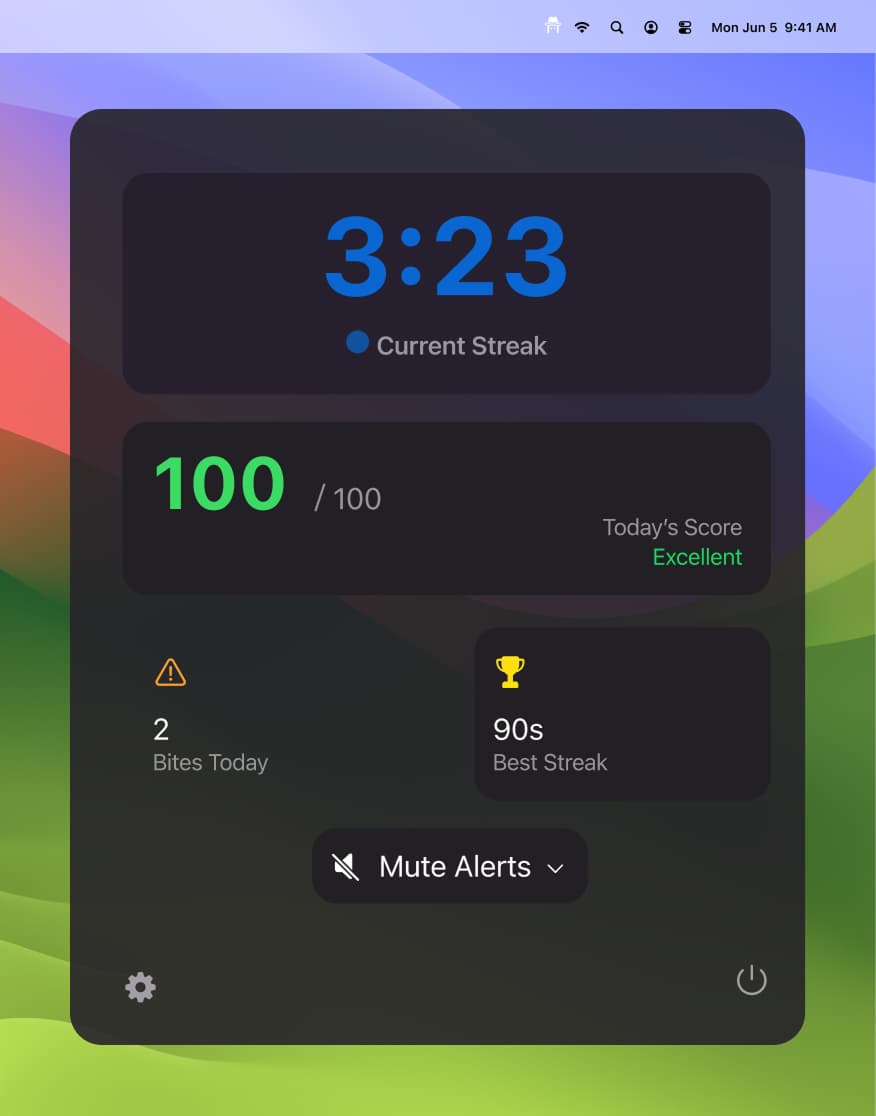
Current Streak, Today's Score, Bites Today, Best Streak Ever, and one-click mute — all in a 320px menu bar popover.
All detection runs locally on your Mac using Apple Vision. Snap Alert flashes the caught frame on your own screen for five seconds and then tosses it — nothing is written to disk, nothing ever leaves your Mac. No internet required.